> ## Documentation Index
> Fetch the complete documentation index at: https://docs.typesync.org/llms.txt
> Use this file to discover all available pages before exploring further.
# Introduction
> Learn what Typesync does for Firestore schema management, code generation, and data validation.
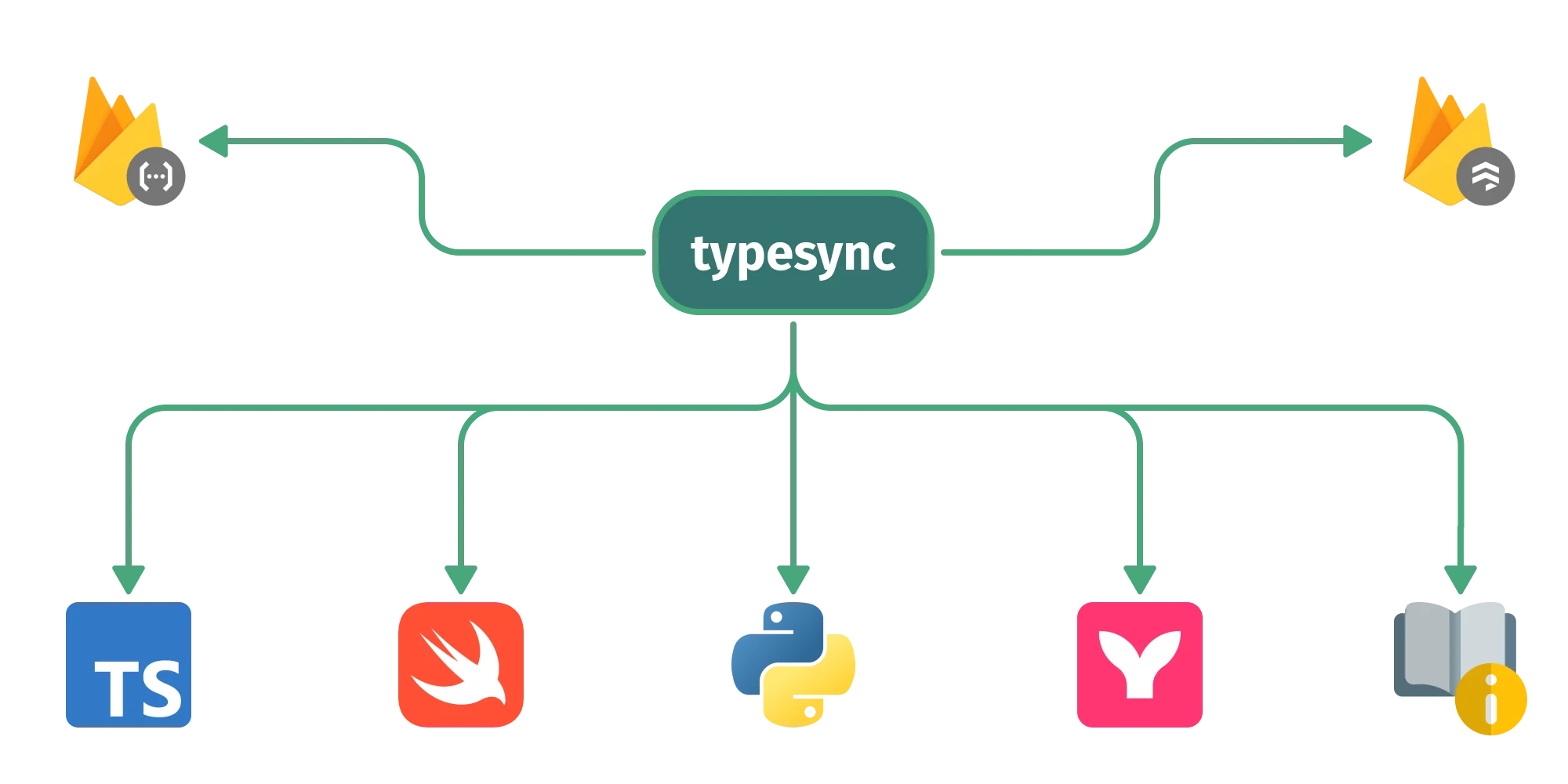
Typesync is an open-source schema management toolkit for [Firestore](https://cloud.google.com/firestore) databases. You maintain a single source of truth for your Firestore architecture in a *schema*, then use the CLI to generate code and validate data from that schema.
Typesync helps keep your database, generated application code, and validation checks aligned as your schema changes.
## How Typesync helps you
* **Generate application models** for TypeScript, Swift, and Python from the same Firestore schema.
* **Validate live Firestore data** against your schema with `typesync validate-data`, using generated Zod validators under the hood.
* **Generate Security Rules validators** so Firestore writes can be checked against the same model definitions.
* **Visualize your database architecture** by generating Mermaid graphs from document model paths.
* **Document your data models** with schema-level descriptions that flow into generated output.
 ## Typesync in 30 seconds
You define your Firestore schema in a collection of YAML/JSON files. The Typesync CLI reads these files and produces ready-to-use Firestore model definitions for all the languages and platforms you work with.
In the example below, we define our models in `models.yml`.
```yaml models.yml theme={null}
# yaml-language-server: $schema=https://schema.typesync.org/v0.18.json
UserRole:
model: alias
docs: Represents a user's role within a project.
type:
type: enum
members:
- label: Owner
value: owner
- label: Admin
value: admin
- label: Member
value: member
User:
model: document
path: users/{userId}
docs: Represents a user that belongs to a project.
type:
type: object
fields:
username:
type: string
docs: A string that uniquely identifies the user within a project.
role:
type: UserRole
website_url:
type: string
optional: true
created_at:
type: timestamp
```
We then run the following commands to generate type definitions for four different environments, generate type validators for Security Rules, and validate existing Firestore data:
```bash TS (frontend) theme={null}
typesync generate-ts --target firebase@10 --definition models.yml # ... other options
```
```bash TS (backend) theme={null}
typesync generate-ts --target firebase-admin@11 --definition models.yml # ... other options
```
```bash Swift theme={null}
typesync generate-swift --target firebase@10 --definition models.yml # ... other options
```
```bash Python theme={null}
typesync generate-py --target firebase-admin@6 --definition models.yml # ... other options
```
```bash Security Rules theme={null}
typesync generate-rules --definition models.yml # ... other options
```
```bash Data validation theme={null}
typesync validate-data --definition models.yml --model User # ... other options
```
The generator commands produce the following files:
```ts models.ts (frontend) theme={null}
import type * as firestore from 'firebase/firestore';
/** Represents a user's role within a project. */
export type UserRole = 'owner' | 'admin' | 'member';
/** Represents a user that belongs to a project. */
export interface User {
/** A string that uniquely identifies the user within a project. */
username: string;
role: UserRole;
website_url?: string;
created_at: firestore.Timestamp;
}
```
```ts models.ts (backend) theme={null}
import type { firestore } from 'firebase-admin';
/** Represents a user's role within a project. */
export type UserRole = 'owner' | 'admin' | 'member';
/** Represents a user that belongs to a project. */
export interface User {
/** A string that uniquely identifies the user within a project. */
username: string;
role: UserRole;
website_url?: string;
created_at: firestore.Timestamp;
}
```
```swift models.swift theme={null}
import Foundation
import FirebaseFirestore
/// Represents a user's role within a project.
enum UserRole: String, Codable {
case Owner = "owner"
case Admin = "admin"
case Member = "member"
}
/// Represents a user that belongs to a project.
struct User: Codable {
@DocumentID var id: String?
/// A string that uniquely identifies the user within a project.
var username: String
var role: UserRole
var websiteUrl: String?
var createdAt: Date
private enum CodingKeys: String, CodingKey {
case username
case role
case websiteUrl = "website_url"
case createdAt = "created_at"
}
}
```
```python models.py theme={null}
from __future__ import annotations
import typing
import datetime
import enum
import pydantic
# [static declarations redacted for brevity]
class UserRole(enum.Enum):
"""Represents a user's role within a project."""
Owner = "owner"
Admin = "admin"
Member = "member"
class User(TypesyncModel):
"""Represents a user that belongs to a project."""
username: str
"""A string that uniquely identifies the user within a project."""
role: UserRole
website_url: typing.Union[TypesyncUndefined, str] = UNDEFINED
created_at: datetime.datetime
class Config:
use_enum_values = True
extra = 'forbid'
def __setattr__(self, name: str, value: typing.Any) -> None:
if name == "website_url" and value is None:
raise ValueError("'website_url' field cannot be set to None")
super().__setattr__(name, value)
```
```javascript firestore.rules theme={null}
rules_version = '2';
service cloud.firestore {
// typesync-start
function isValidUserRole(data) {
return ((data == 'owner') || (data == 'admin') || (data == 'member'));
}
function isValidUser(data) {
return (
(data is map) &&
(data.keys().hasOnly(['username', 'role', 'website_url', 'created_at'])) &&
(data.username is string) &&
isValidUserRole(data.role) &&
((data.website_url is string) || !('website_url' in data)) &&
(data.created_at is timestamp)
);
}
// typesync-end
// Here you define your custom rules
match /databases/{database}/documents {
match /users/{uid} {
allow read;
allow write: if isValidUser(request.resource.data);
}
}
}
```
Once we have the generated models, we can import and use them in our application code. As for Security Rules, we just need to deploy them to Firestore.
```ts app.ts (frontend) theme={null}
import { type CollectionReference, collection, doc, getDoc, getFirestore } from 'firebase/firestore';
import type { User } from './models';
const firestore = getFirestore();
const usersColRef = collection(firestore, 'users') as CollectionReference;
const userDocRef = doc(usersColRef, 'adam');
const userSnap = await getDoc(userDocRef);
const user = userSnap.data(); // is a User object
```
```ts app.ts (backend) theme={null}
import { firestore } from 'firebase-admin';
import type { User } from './models';
const usersColRef = firestore().collection('users') as firestore.CollectionReference;
const userSnap = await usersColRef.doc('adam').get();
const user = userSnap.data(); // is a User object
```
```swift app.swift theme={null}
import Firebase
let db = Firestore.firestore()
db.document("users/adam").getDocument { snapshot, err in
if let user = try! snapshot?.data(as: User.self) {
print(user.id) // "adam"
}
}
```
```python app.py theme={null}
from firebase_admin import firestore
from models import User, UserRole
db = firestore.client()
doc_ref = db.collection('users').document('adam')
snapshot = doc_ref.get()
user = User.model_validate(snapshot.to_dict()) # is a User instance
```
## Design Goals
Typesync is built on three core principles that guide its design and functionality.
### 1. Predictability
Typesync values straightforward operation over complexity. It doesn't try to outsmart you by making implicit assumptions. There are no "gotchas", no hidden configurations. When faced with bad input, Typesync prefers to issue an error rather than make assumptions and try to make the most of the situation.
Our philosophy is straightforward: developer tools should consistently perform as expected, without any surprising behavior—even if such behavior might be seen as beneficial to some. Essentially, tools should remain "dumb" in their operations, even while performing complex tasks.
The predictability that this behavior produces means that you always know what to expect from Typesync as it does only what it promises to do. Nothing more, nothing less.
### 2. Ejectability
Flexibility is central to Typesync's design. It's developed to be non-intrusive, with no lock-in effects. You can easily integrate Typesync into your projects without major changes to your codebase.
Typesync *is not* a library that tightly attaches itself to your code. You can eject at any time by simply copy-pasting the generated output into your source code without having to refactor your code. Moving away from Typesync is as simple as integrating it.
### 3. Configurability
Everything that can be reasonably expected to be configurable is made explicitly configurable by Typesync. Whether it's defining how your schema is structured or customizing the output for different programming languages, Typesync provides you with the flexibility to make those decisions.
Typesync is designed to be as customizable as possible, allowing you to tailor the tool to your project's requirements.
## Typesync in 30 seconds
You define your Firestore schema in a collection of YAML/JSON files. The Typesync CLI reads these files and produces ready-to-use Firestore model definitions for all the languages and platforms you work with.
In the example below, we define our models in `models.yml`.
```yaml models.yml theme={null}
# yaml-language-server: $schema=https://schema.typesync.org/v0.18.json
UserRole:
model: alias
docs: Represents a user's role within a project.
type:
type: enum
members:
- label: Owner
value: owner
- label: Admin
value: admin
- label: Member
value: member
User:
model: document
path: users/{userId}
docs: Represents a user that belongs to a project.
type:
type: object
fields:
username:
type: string
docs: A string that uniquely identifies the user within a project.
role:
type: UserRole
website_url:
type: string
optional: true
created_at:
type: timestamp
```
We then run the following commands to generate type definitions for four different environments, generate type validators for Security Rules, and validate existing Firestore data:
```bash TS (frontend) theme={null}
typesync generate-ts --target firebase@10 --definition models.yml # ... other options
```
```bash TS (backend) theme={null}
typesync generate-ts --target firebase-admin@11 --definition models.yml # ... other options
```
```bash Swift theme={null}
typesync generate-swift --target firebase@10 --definition models.yml # ... other options
```
```bash Python theme={null}
typesync generate-py --target firebase-admin@6 --definition models.yml # ... other options
```
```bash Security Rules theme={null}
typesync generate-rules --definition models.yml # ... other options
```
```bash Data validation theme={null}
typesync validate-data --definition models.yml --model User # ... other options
```
The generator commands produce the following files:
```ts models.ts (frontend) theme={null}
import type * as firestore from 'firebase/firestore';
/** Represents a user's role within a project. */
export type UserRole = 'owner' | 'admin' | 'member';
/** Represents a user that belongs to a project. */
export interface User {
/** A string that uniquely identifies the user within a project. */
username: string;
role: UserRole;
website_url?: string;
created_at: firestore.Timestamp;
}
```
```ts models.ts (backend) theme={null}
import type { firestore } from 'firebase-admin';
/** Represents a user's role within a project. */
export type UserRole = 'owner' | 'admin' | 'member';
/** Represents a user that belongs to a project. */
export interface User {
/** A string that uniquely identifies the user within a project. */
username: string;
role: UserRole;
website_url?: string;
created_at: firestore.Timestamp;
}
```
```swift models.swift theme={null}
import Foundation
import FirebaseFirestore
/// Represents a user's role within a project.
enum UserRole: String, Codable {
case Owner = "owner"
case Admin = "admin"
case Member = "member"
}
/// Represents a user that belongs to a project.
struct User: Codable {
@DocumentID var id: String?
/// A string that uniquely identifies the user within a project.
var username: String
var role: UserRole
var websiteUrl: String?
var createdAt: Date
private enum CodingKeys: String, CodingKey {
case username
case role
case websiteUrl = "website_url"
case createdAt = "created_at"
}
}
```
```python models.py theme={null}
from __future__ import annotations
import typing
import datetime
import enum
import pydantic
# [static declarations redacted for brevity]
class UserRole(enum.Enum):
"""Represents a user's role within a project."""
Owner = "owner"
Admin = "admin"
Member = "member"
class User(TypesyncModel):
"""Represents a user that belongs to a project."""
username: str
"""A string that uniquely identifies the user within a project."""
role: UserRole
website_url: typing.Union[TypesyncUndefined, str] = UNDEFINED
created_at: datetime.datetime
class Config:
use_enum_values = True
extra = 'forbid'
def __setattr__(self, name: str, value: typing.Any) -> None:
if name == "website_url" and value is None:
raise ValueError("'website_url' field cannot be set to None")
super().__setattr__(name, value)
```
```javascript firestore.rules theme={null}
rules_version = '2';
service cloud.firestore {
// typesync-start
function isValidUserRole(data) {
return ((data == 'owner') || (data == 'admin') || (data == 'member'));
}
function isValidUser(data) {
return (
(data is map) &&
(data.keys().hasOnly(['username', 'role', 'website_url', 'created_at'])) &&
(data.username is string) &&
isValidUserRole(data.role) &&
((data.website_url is string) || !('website_url' in data)) &&
(data.created_at is timestamp)
);
}
// typesync-end
// Here you define your custom rules
match /databases/{database}/documents {
match /users/{uid} {
allow read;
allow write: if isValidUser(request.resource.data);
}
}
}
```
Once we have the generated models, we can import and use them in our application code. As for Security Rules, we just need to deploy them to Firestore.
```ts app.ts (frontend) theme={null}
import { type CollectionReference, collection, doc, getDoc, getFirestore } from 'firebase/firestore';
import type { User } from './models';
const firestore = getFirestore();
const usersColRef = collection(firestore, 'users') as CollectionReference;
const userDocRef = doc(usersColRef, 'adam');
const userSnap = await getDoc(userDocRef);
const user = userSnap.data(); // is a User object
```
```ts app.ts (backend) theme={null}
import { firestore } from 'firebase-admin';
import type { User } from './models';
const usersColRef = firestore().collection('users') as firestore.CollectionReference;
const userSnap = await usersColRef.doc('adam').get();
const user = userSnap.data(); // is a User object
```
```swift app.swift theme={null}
import Firebase
let db = Firestore.firestore()
db.document("users/adam").getDocument { snapshot, err in
if let user = try! snapshot?.data(as: User.self) {
print(user.id) // "adam"
}
}
```
```python app.py theme={null}
from firebase_admin import firestore
from models import User, UserRole
db = firestore.client()
doc_ref = db.collection('users').document('adam')
snapshot = doc_ref.get()
user = User.model_validate(snapshot.to_dict()) # is a User instance
```
## Design Goals
Typesync is built on three core principles that guide its design and functionality.
### 1. Predictability
Typesync values straightforward operation over complexity. It doesn't try to outsmart you by making implicit assumptions. There are no "gotchas", no hidden configurations. When faced with bad input, Typesync prefers to issue an error rather than make assumptions and try to make the most of the situation.
Our philosophy is straightforward: developer tools should consistently perform as expected, without any surprising behavior—even if such behavior might be seen as beneficial to some. Essentially, tools should remain "dumb" in their operations, even while performing complex tasks.
The predictability that this behavior produces means that you always know what to expect from Typesync as it does only what it promises to do. Nothing more, nothing less.
### 2. Ejectability
Flexibility is central to Typesync's design. It's developed to be non-intrusive, with no lock-in effects. You can easily integrate Typesync into your projects without major changes to your codebase.
Typesync *is not* a library that tightly attaches itself to your code. You can eject at any time by simply copy-pasting the generated output into your source code without having to refactor your code. Moving away from Typesync is as simple as integrating it.
### 3. Configurability
Everything that can be reasonably expected to be configurable is made explicitly configurable by Typesync. Whether it's defining how your schema is structured or customizing the output for different programming languages, Typesync provides you with the flexibility to make those decisions.
Typesync is designed to be as customizable as possible, allowing you to tailor the tool to your project's requirements.